 Texthold

Export & search your texts.
Texthold saves any conversation from the Messages app on your Mac as a spreadsheet and an easy-to-read transcript, and lets you search it for any word.
Buy for $19.99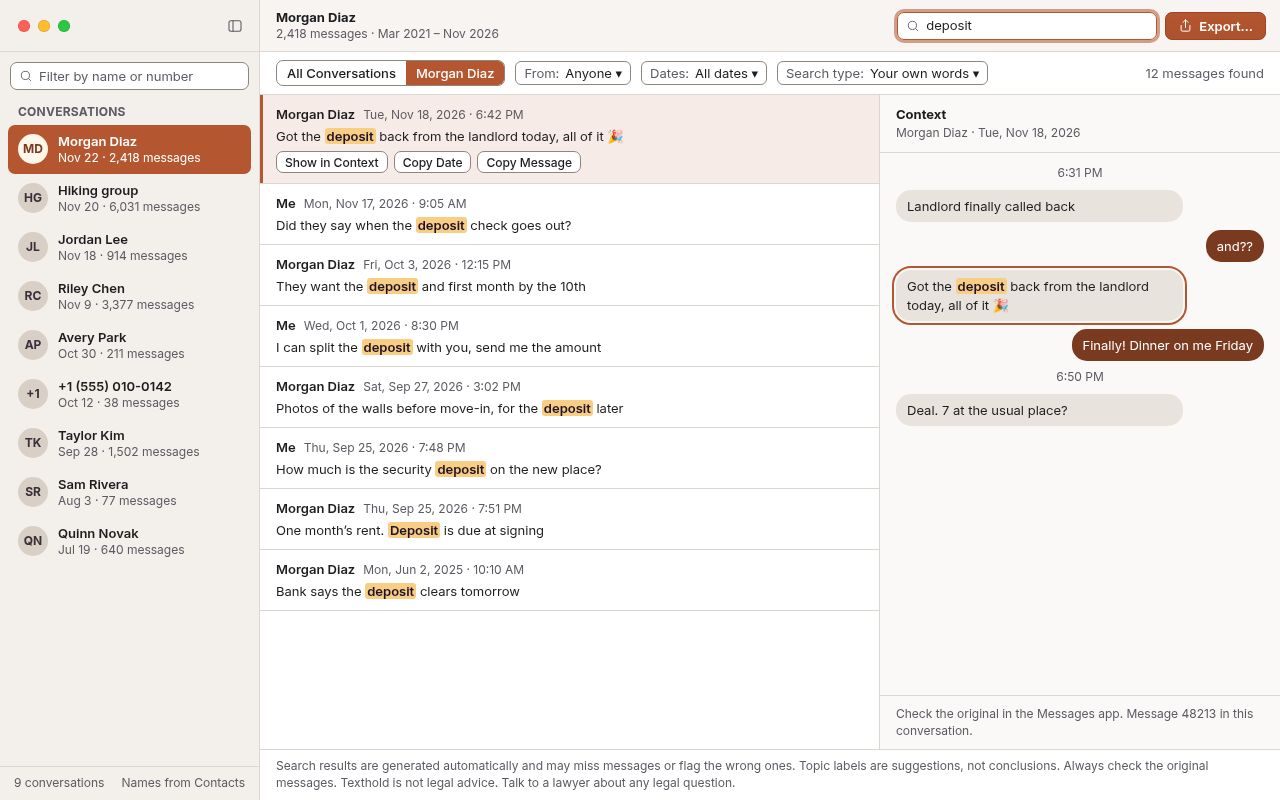
How it works
Three steps.
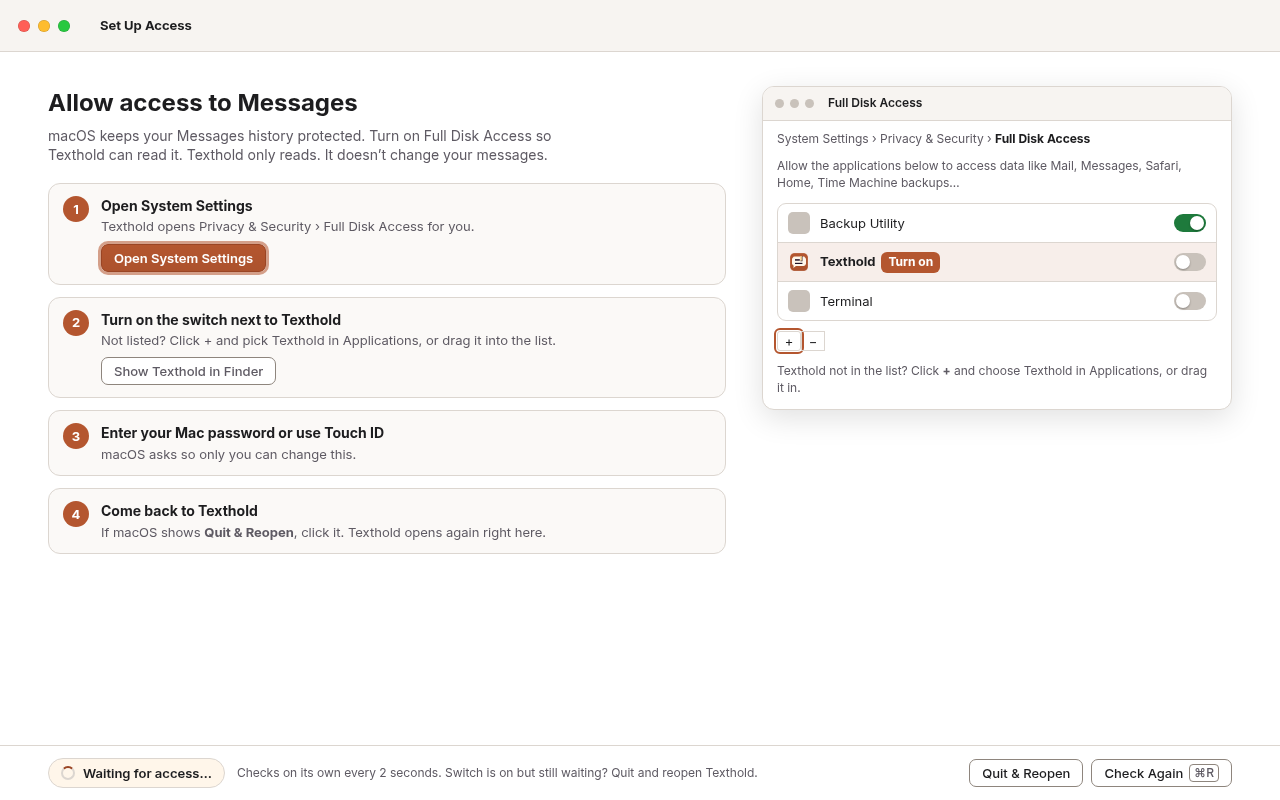
Allow access
Turn on Full Disk Access. Texthold walks you through it.
Choose a conversation
Pick a person or group, and the dates.
Search or save
Find any word, or save a spreadsheet and a transcript on your Mac.
See it on your Mac
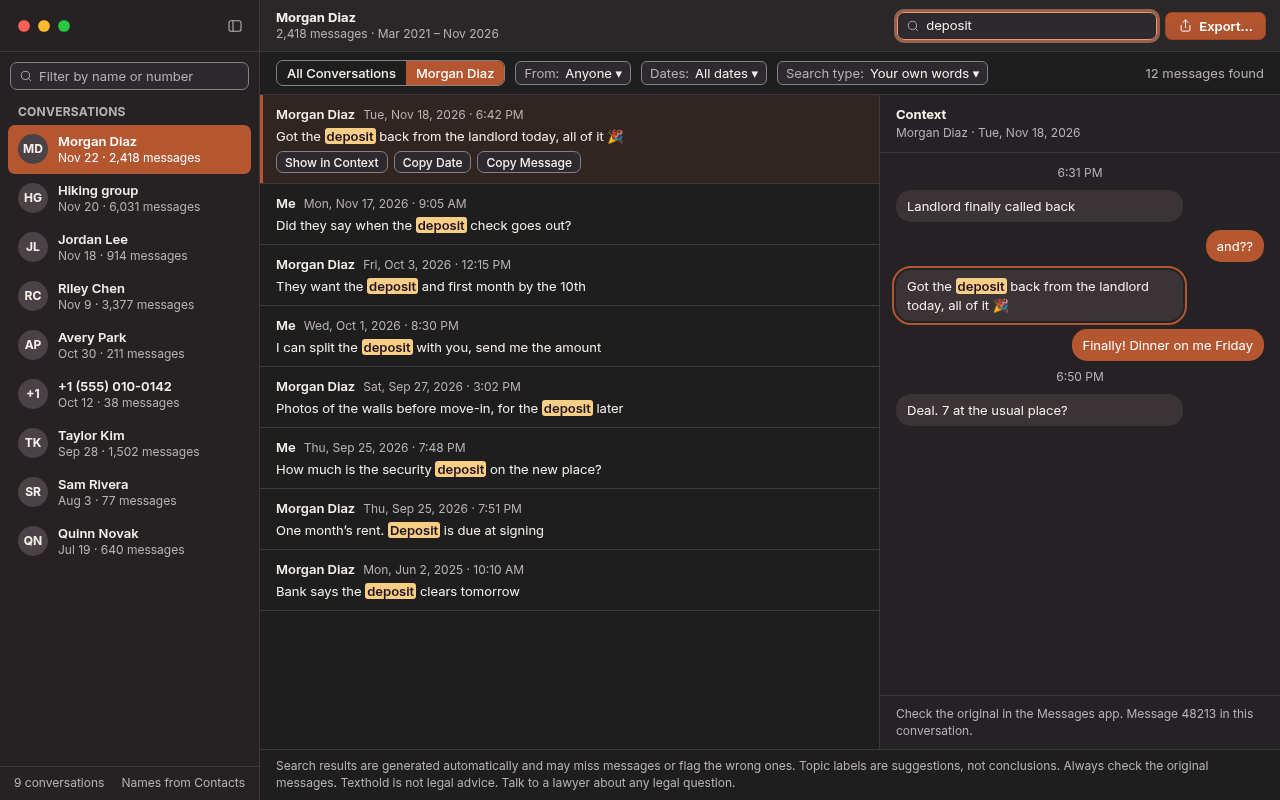
Built with the look and controls you already know from macOS, in light and dark mode.
FAQ
Why does Texthold need Full Disk Access?
macOS keeps Messages history in a protected place. Full Disk Access is how macOS lets Texthold read it. Texthold only reads. You can turn it off any time in System Settings.
Does it change my messages?
No. Your original messages stay as they are.
Which messages can it see?
The ones in the Messages app on your Mac. For older history, turn on Messages in iCloud in Messages settings and let it finish downloading.
Can I make a PDF?
Yes. Open the transcript from your export folder in Safari, then choose File › Export as PDF.
Does it work on Windows, iPhone, or Android?
No. Texthold needs a Mac with macOS 13 Ventura or later.
Is it a subscription?
No. Texthold is a one-time purchase of $19.99. Questions or concerns? Email us.
Does Texthold save my settings?
No. Texthold does not save settings, or a record of what you exported or searched.
Whose messages can I export?
Only conversations on a Mac and account that you own or are allowed to use. Texthold is for keeping your own records.
Questions or concerns? Email us at support@psycloudai.com.
System requirements
- macOS 13 Ventura or laterOn a Mac you own or are allowed to use.
- The Messages appWith your conversations already on this Mac.
- Full Disk AccessTurned on for Texthold. Setup shows you how.
- A MacWindows, iPhone, and Android aren’t supported.